Simcenter Simulation and Testing Solutions
1、Why Choose Simcenter?
Simcenter supports model-based system testing, enabling effective verification and optimization at every stage of product development. It empowers engineering design innovation.
2、Features:
Model Complexity
Innovation is inherently complex. Predict product behavior, improve accuracy, and gain confidence in your designs early in the development cycle. Adopt a performance-based systems engineering approach to oversee the entire product lifecycle, from component concept to end-of-use operation.
Explore Potential
Leverage sophisticated models to fully explore the design space. Save time and gain in-depth insights in the digital realm before finalizing physical designs. Accelerate the discovery of new design concepts, optimize product performance, and enhance design robustness.
Accelerate Development Speed
Respond rapidly to evolving customer preferences with AI-driven engineering. Harness cloud-based scalable processes and modern automated workflows.
Maintain Integration
Connect everything. Link all processes and facilitate team collaboration in complex development environments. Integrate the digital thread from simulation models to product data to balance performance and ensure full traceability.
3、Simulation and Testing Solutions
Performance engineering requires accurate prediction to guarantee successful product delivery. Transform product complexity into a competitive advantage with Simcenter solutions, enabling engineering teams to push boundaries, solve tough challenges, and bring innovations to market faster.
①Physical Testing
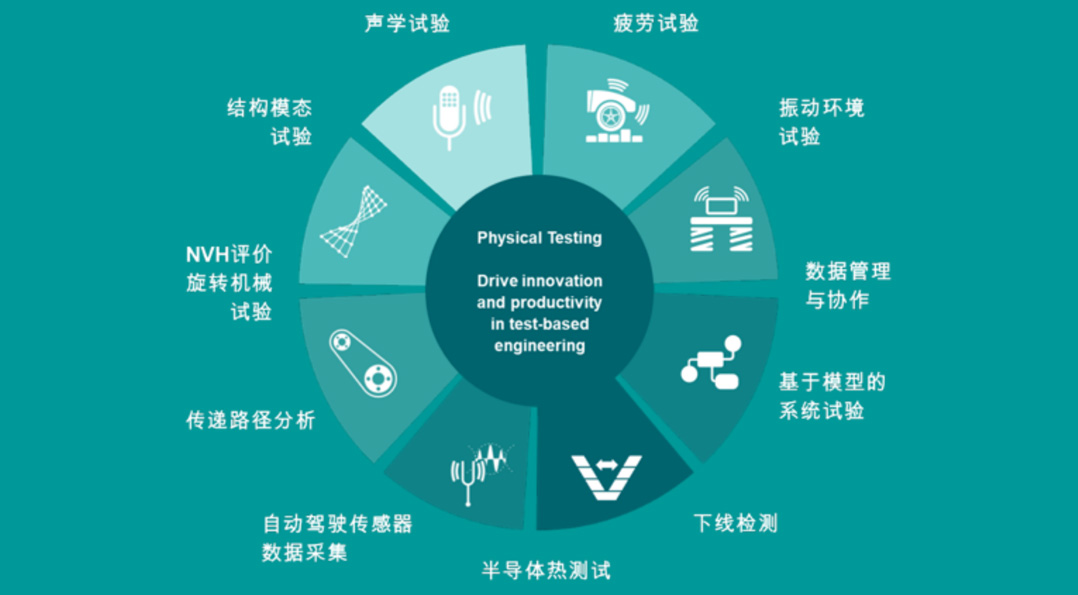
Physical testing is designed to drive innovation and productivity in foundational test engineering, covering the following key areas:
1.Acoustic Testing: Evaluate the acoustic performance of products.
2.Fatigue Testing: Test the durability of materials or structures under cyclic loading.
3.Vibration Environmental Testing: Simulate and test product performance in vibrating environments.
4.Data Management and Collaboration: Efficiently manage test data and facilitate cross-team collaboration.
5.Model-Based System Testing: Use models to verify system performance.
6.End-of-Line Testing: Conduct final product inspections at the end of the production line.
7.Semiconductor Thermal Testing: Assess the thermal performance of semiconductor devices.
8.Automated Acoustic Sensor Data Acquisition: Collect acoustic data using automated equipment.
9.Transfer Path Analysis: Analyze the propagation paths of sound waves or vibrations through structures.
10.NVH Evaluation (Noise, Vibration, and Harshness): Conduct a comprehensive assessment of product noise, vibration, and harshness characteristics.
②Fluid and Thermal Simulation – Innovate Better Products Faster with CFD and Computational Chemistry Software.
Simcenter STAR-CCM+ is a multi-physics computational fluid dynamics (CFD) software. With this tool, CFD engineers can simulate the complexity of products operating under real-world conditions and explore their potential applications.
Simcenter FLOEFD is a CAD-embedded CFD software tailored for designers. By enabling early-stage fluid flow simulation and thermal analysis, it directly processes CAD geometries within NX, Solid Edge, CATIA, or Creo, thereby shortening product development cycles.
Simcenter SPH Flow is a fast meshless CFD tool that provides a fully integrated environment for both designers and analysts. It enables complex CFD analysis early in the development cycle, delivering competitive products with reduced time and cost.
Simcenter Flotherm is an electronic cooling CFD simulation software that delivers accurate and fast thermal analysis to support the development of thermal digital twins—from pre-concept CAD design exploration and detailed design to final validation.
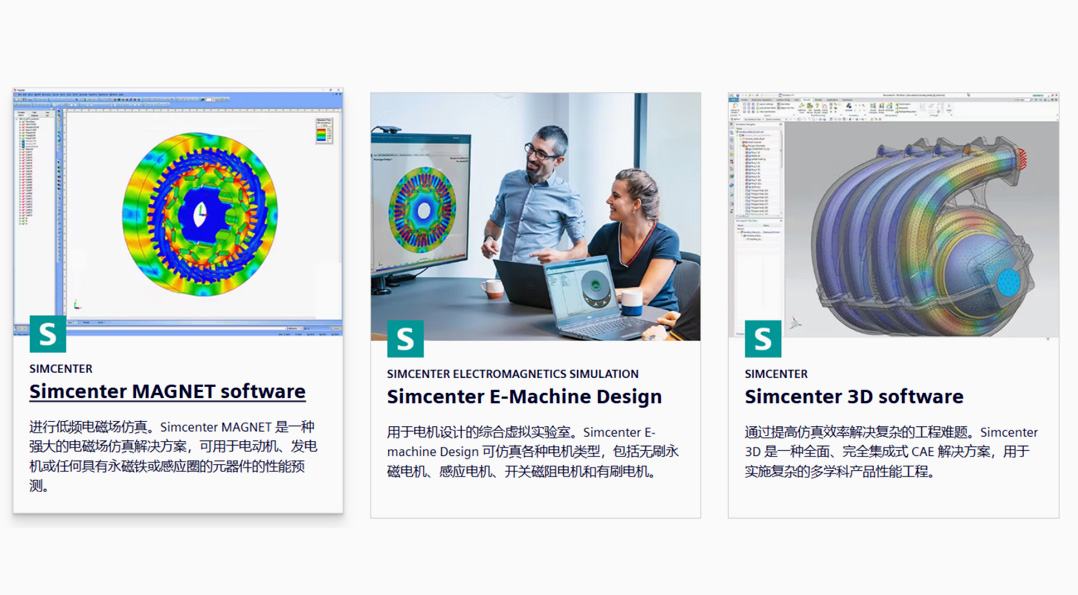
③Electromagnetic Simulation
Electromagnetic simulation helps you improve efficiency in complex, noisy electromagnetic environments, ensuring superior performance while maintaining compliance. A comprehensive suite of dedicated solvers (time-domain and frequency-domain, linear and nonlinear, finite element and boundary element methods) delivers breakthrough CAE processes, ranging from fast initial analysis to high-fidelity simulations for final validation.
④System Simulation
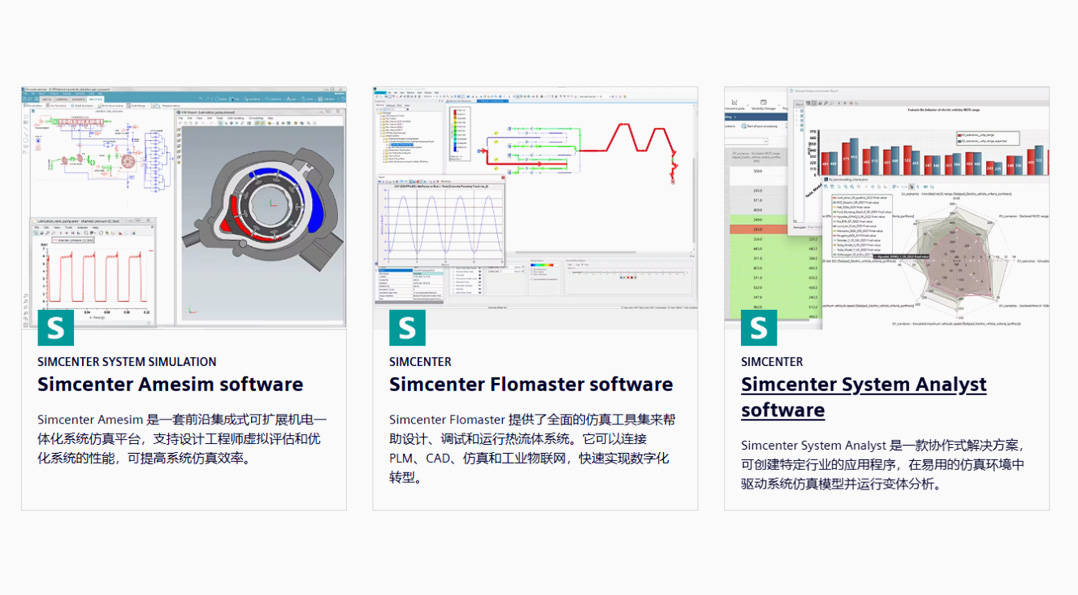
Conquer complexity early in the design phase. From the initial development stages to final performance verification and control calibration, comprehensively evaluate and balance potential conflicts between different performance attributes.
⑤Mechanical Simulation
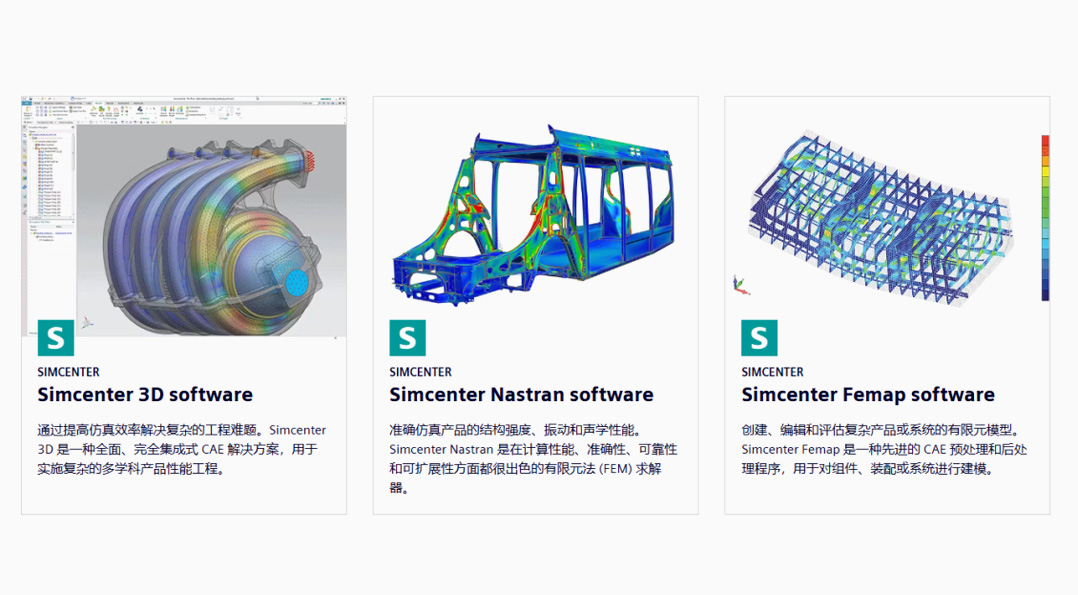
Mechanical simulation tools enable you to:
Predict mechanical performance across multiple physical domains, reducing reliance on physical prototypes.
Accelerate the simulation process to quickly evaluate product performance and iterate on designs.
Conduct accurate and reliable simulations with industry-leading solvers to enhance computational performance and scalability.
Simplify complex multi-physics analysis through integrated simulation tools.
⑥Multidisciplinary Design Analysis and Optimization
Why Choose HEEDS?
HEEDS accelerates product development by automating analysis workflows, optimizing the utilization of available computing hardware and software resources, efficiently exploring the design space for innovative solutions, and evaluating new concepts to ensure they meet performance requirements.
Automate Processes
HEEDS supports workflow automation to streamline product development processes. It features rich application programming interfaces (APIs) for commercial computer-aided design (CAD) and computer-aided engineering (CAE) tools, enabling rapid and seamless integration of various technologies without the need for custom scripting. Data is automatically shared between modeling and simulation tools to evaluate performance trade-offs and design robustness.
Leverage Distributed Execution
HEEDS maximizes your existing hardware investments by efficiently utilizing all available computing resources. Accelerate the development of innovative products using on-site or remote Windows and Linux workstations or clusters, as well as cloud computing resources.
For example, geometry modifications can be automated on a Windows laptop; structural deformation simulations can be run on a Linux workstation; and computational fluid dynamics (CFD) simulations can be executed across multiple cores on a Linux cluster or in the cloud.
Unlock Efficient Search Capabilities
Most traditional optimization tools require highly specialized technical expertise and simplified models to achieve efficient search. In contrast, HEEDS empowers all designers and engineers to unlock innovation.
HEEDS incorporates proprietary design space exploration capabilities to efficiently identify design concepts that meet or exceed performance requirements. As it gains more insights into the design space, HEEDS automatically adjusts its search strategy to find optimal solutions within specified timeframes. It is easy to use, meets tight deadlines, and delivers significant value.
Gain Insights and Explore
HEEDS makes it easy to compare the merits of different designs in terms of desired characteristics and robustness. Through intuitive visualization tools—including various plots, tables, graphs, and images—the software helps users balance trade-offs between conflicting design objectives and constraints, inspiring new ideas and uncovering innovative solutions. This facilitates the development of production-ready designs and the realization of true digital twins.